

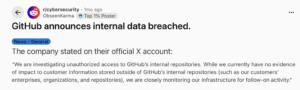
Most development teams assume their code is safe because it lives in GitHub. It is versioned, cloud-hosted, and maintained by one of the most well-resourced platforms in the world. That assumption, while understandable, is wrong in one critical area: GitHub does not back up your data.
Understanding the difference between what GitHub provides and what your organisation is responsible for is not a technical detail. It is a business risk question, and the answer has compliance, operational, and financial consequences.
What GitHub Is Actually Responsible For
GitHub, like most major cloud platforms, operates under what is known as the Shared Responsibility Model. In practical terms, this means GitHub is responsible for keeping its infrastructure online and available. Your data is your problem.
GitHub’s own Terms of Service are direct on this point: “GitHub will not be liable for any loss of data or content… You understand and agree that use of the service is at your own risk.”
That clause covers scenarios that happen in real organisations every day: a developer force-pushing incorrectly and overwriting a branch, a rogue third-party integration wiping repository contents, a departing employee with admin access, or a phishing attack that compromises credentials. In each of these situations, GitHub is not obligated to restore what was lost.
The Real Risks Facing Your GitHub Data
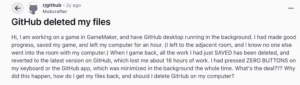
These are not hypothetical scenarios. GitHub data loss incidents have occurred at scale:
- In 2020, a phishing campaign targeted GitHub users to steal credentials and two-factor authentication codes, resulting in account compromises across the platform.
- Also in 2020, GitHub experienced a major service outage lasting approximately 2.5 hours, during which engineering teams worldwide were unable to push, pull, or access their repositories.
- In 2022, compromised OAuth tokens were used to access private GitHub repositories, exposing the risk that third-party app integrations can become an unexpected attack surface.
Beyond platform-level incidents, the most common cause of data loss remains far more routine. Accidental deletion accounts for 44% of SaaS data loss. A single misclick, a bulk delete, or a misconfigured CI/CD pipeline can remove years of commits, pull request history, and institutional knowledge in seconds.
What You Stand to Lose
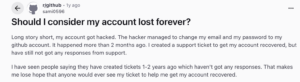
A GitHub repository is more than a collection of code files. It contains the complete operational memory of your development team. Without a proper backup in place, any of the following can be lost permanently:
- Repositories, branches, commits, and tags across your entire organisation
- Pull request history, comments, reviewers, and milestones
- Issues, labels, releases, and project boards
- Wikis and internal documentation
- GitHub Gists, including both public and private code snippets
For most organisations, this data represents years of development effort, documented decisions, and the full context of how the product was built. Losing it is not just an inconvenience. It is a significant operational and commercial risk.
GitHub Backup and Compliance Obligations
If your organisation is working toward ISO 27001, SOC2 Type II, or GDPR compliance, or if you carry cyber insurance, independent data backup is not optional. Auditors require demonstrable evidence that you can recover your critical systems. Relying on GitHub’s native version history does not satisfy that requirement.
The industry-standard 3-2-1 backup rule requires three copies of your data, stored on two different media, with one copy held offsite and independent of the primary platform. GitHub hosting your repository is not an independent backup. It is the primary copy.
Without an independent backup solution, you cannot demonstrate compliance, and you cannot pass a data recovery audit. For organisations in regulated sectors, that creates direct liability.
Why Manual Backup Scripts Are Not Enough
Some teams attempt to manage GitHub backups through custom scripts. This approach has significant limitations that make it unreliable as a protection strategy.
- Scripts typically back up code only, not the metadata, pull request history, issues, or project boards that make a repository meaningful
- They fail silently without alerting the team, leaving organisations believing they are protected when they are not
- Restoring from a script backup directly back into GitHub requires additional complex scripting at the exact moment when speed matters most
- Manual approaches do not satisfy ISO 27001 or SOC2 requirements for independent, auditable backup
The gap between having a backup script and having a reliable backup is significant. One runs in the background and alerts you when something goes wrong. The other is a liability waiting to surface at the worst possible time.
How BackupLABS Protects Your GitHub Data
BackupLABS provides automated, independent backup and restore for GitHub organisations. Built on 25 years of data protection expertise through the BackupVault Group, it is designed specifically for organisations that cannot afford to lose the work held in their cloud tools.
Setup takes under two minutes. From there, BackupLABS runs silently in the background, covering every element of your GitHub environment:
- Full repository and branch backup including all commits, code, and tags
- Complete pull request and issue history with comments, reviewers, and milestones
- Labels, releases, project boards, and metadata
- Wiki and documentation files
- Both public and private GitHub Gists
Backups run automatically every 24 hours, with on-demand backup available before major refactors or deployments. The Pro plan includes backups every 12 hours and 90-day retention.
Restore Without Disruption
When something goes wrong, BackupLABS uses a Safe Restore Guarantee: restores are always created as new clones rather than overwriting live data. This gives your team the ability to review and verify the restored repository before any merge, preventing a recovery operation from creating a second problem.
Point-in-Time Restore allows you to select from multiple backup dates and roll back to exactly the state you need. If a repository or Gist has been deleted from GitHub, BackupLABS detects the change, alerts you, and gives you the option to restore it or download the ZIP archive directly.
Security and Compliance Built In
BackupLABS connects to your GitHub organisation via secure OAuth, using fine-grained access tokens. No passwords are stored or shared. All data is encrypted using AES-256 bit encryption both in transit and at rest.
For organisations with data sovereignty requirements, BackupLABS offers global data residency across four locations: the UK, USA, EU, and Australia. The Bring Your Own Storage (BYOS) option allows you to sync backups directly to your own Amazon S3, Google Drive, or Dropbox, satisfying the independent offsite copy required by the 3-2-1 rule and supporting ISO 27001, SOC2, and GDPR audit readiness.
Pricing That Scales With Your Repositories, Not Your Headcount
BackupLABS charges per repository, not per user. This means your security costs do not increase as your team grows. Unlimited team members are included on every plan, and a 14-day free trial requires no credit card. A 30-day money-back guarantee covers any setup that does not fit your workflow.
Your Repositories Hold More Than Code
GitHub is an excellent platform. It is not a backup solution. The distinction matters because the Terms of Service are clear: if your data is lost, GitHub is not responsible for recovering it.
Your repositories contain the full history of your product, the decisions that shaped it, and the institutional knowledge your team has built over years. That is business-critical infrastructure. It deserves the same independent protection you would apply to any other critical system.
BackupLABS was built for exactly this purpose. Automated, compliant, independent backup for the cloud tools your organisation depends on.
Start your free 14-day trial at backuplabs.io/integrations/github-backup/


